【Unity】RendererFeature を利用した複数地点のソナー表現
https://hacchi-man.hatenablog.com/entry/2023/01/05/220000hacchi-man.hatenablog.com
では1地点のみのソナー表現でしたが、Shader側に複数の座標パラメータを渡すことにより複数地点でのソナー表現ができるようになりました
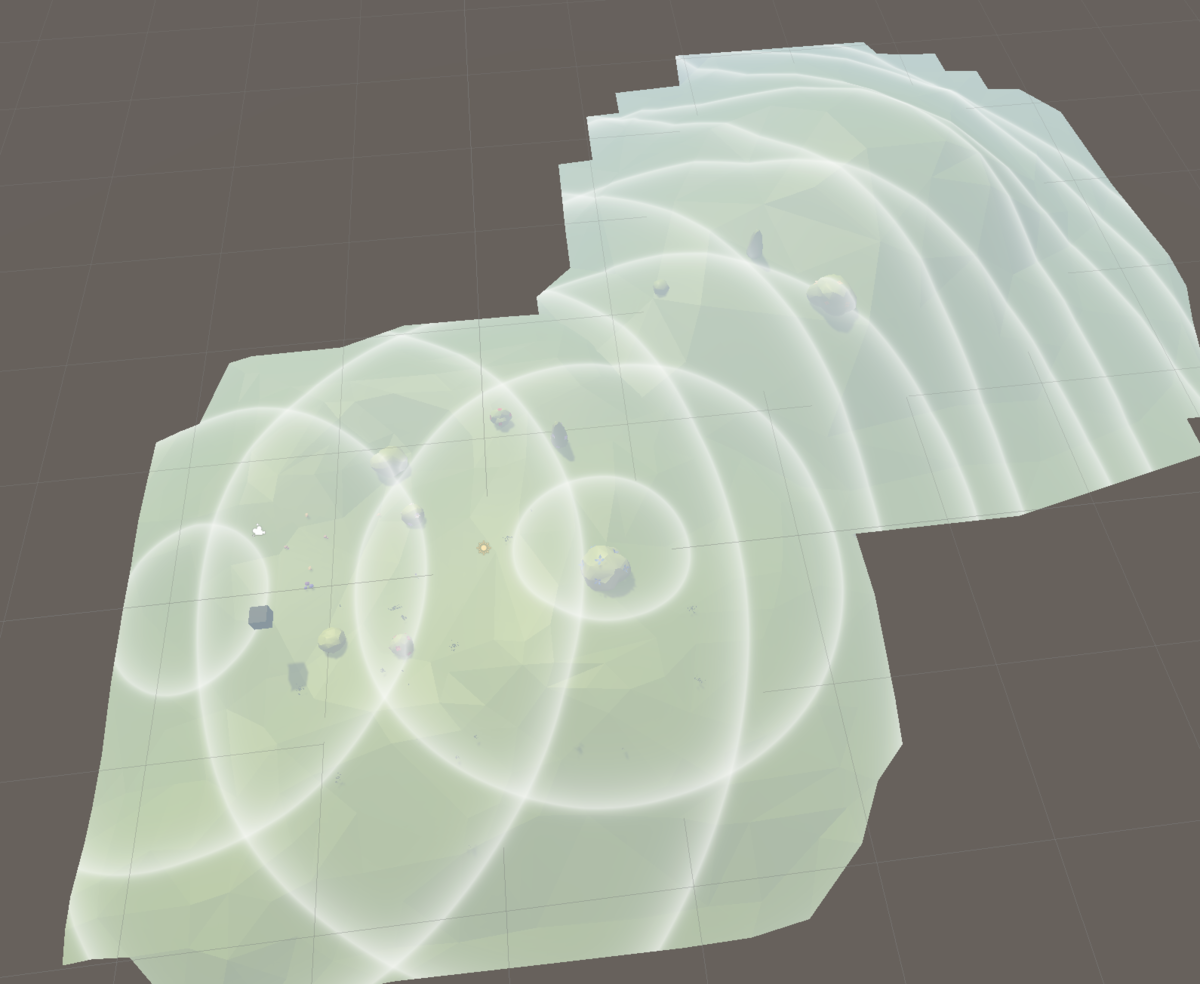
パラメータをセットするのは何でもいいですが、OnValidate でできるようにしたサンプルがこちら
using UnityEngine;

public class SonarControl : MonoBehaviour
{
    [SerializeField]
    private Vector4[] _positions = new Vector4[0];

    private static readonly int SonarPositions = Shader.PropertyToID("_SonarPositionArray");
    private static readonly int SonarPositionsLength = Shader.PropertyToID("_SonarPositionsLength");

    private void OnValidate()
    {
        Shader.SetGlobalInt(SonarPositionsLength, _positions.Length);
        Shader.SetGlobalVectorArray(SonarPositions, _positions);
    }
}
RendererFeature 側のコードは特に変更無いので、複数対応できるようにした Shader がこちら
複数の地点を定義する uniform half4 _SonarPositionArray[10]; と int _SonarPositionsLength; が追加されています
Shader "Hidden/SonarImageEffectShader"
{
    SubShader
    {
        Cull Off ZWrite Off ZTest Always

        Pass
        {
            HLSLPROGRAM
            #pragma vertex FullscreenVert
            #pragma fragment frag

            #include "Packages/com.unity.render-pipelines.universal/Shaders/PostProcessing/Common.hlsl"
            #include "Packages/com.unity.render-pipelines.universal/ShaderLibrary/DeclareDepthTexture.hlsl"

            TEXTURE2D_X(_SourceTex);
            SAMPLER(sampler_SourceTex);

            half4 _Param;
            half4 _SonarColor;
            uniform half4 _SonarPositionArray[10];
            int _SonarPositionsLength;

            float Sonar(half2 uv, float depth, half3 center)
            {
                half3 pos = ComputeWorldSpacePosition(uv, depth, UNITY_MATRIX_I_VP);

                float distance = length(pos - center);

                float w = distance - _Time.y * _Param.w;

                w /= _Param.z;
                w = w - floor(w);

                float p = _Param.y;
                w = (pow(w, p) + pow(1 - w, p * 4)) * 0.5;

                w *= _Param.x;

                return w * step(distance, 1000);
            }

            half4 frag(Varyings i) : SV_Target
            {
                half4 col = SAMPLE_TEXTURE2D_X( _SourceTex, sampler_SourceTex, i.uv);
                float depth = SampleSceneDepth(i.uv);

                for (int index = 0; index < _SonarPositionsLength; index++)
                {
                    float strength = Sonar(i.uv, depth, _SonarPositionArray[index].xyz);
                    col.rgb = lerp(col.rgb, _SonarColor, strength);
                }

                return col;
            }

            ENDHLSL
        }
    }
}
